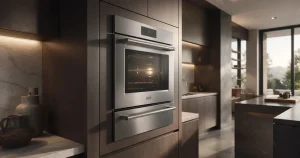
Source: KitchenAid Product Help - Wall Oven: Error Code or Message
Most KitchenAid fault codes name a part. F0E0 is the exception: according to the wall oven help, it appears when the electronic oven control cannot recognize what type of problem has occurred.
At a glance
| Code | F0E0 |
|---|---|
| Appliance | Wall Ovens |
| What it means | The oven control cannot recognize what type of problem occurred; possible control system component or wiring problem. |
| First thing to try | Turn the breaker for the oven to off. |
What that wording implies
The control knows something is wrong but cannot sort it into a specific category. KitchenAid then points broadly at a component of the oven control system, the electronic control itself, or the wiring. The practical result is that the reset is the whole owner action. That is a wide net, and it is why this entry gives you less to go on than a code such as a door latch or sensor message.
Try this once
- Turn the breaker for the oven to off.
- Give it a minute.
- Turn the breaker to on.
- Keep the oven in view for another minute, looking for F0E0.
- Check that the oven operates.
Questions owners ask
Can I tell which part is failing from F0E0? No. The point of the code is that the control could not classify the problem.
Is there a second code I should look for? The article mentions none. Only the display you see on your oven is available to report.
After the reset
If F0E0 keeps returning, KitchenAid’s help gives nothing more for owners to try. A technician can look into the control system, which is something a homeowner cannot narrow down from the display.
Other control codes
- F06: electronic control or wiring, named specifically
- F1E1: the oven appliance manager control or wiring
Wall oven control repair in San Francisco
If F0E0 returns, call (415) 921-9987. Describe what the oven was doing when it appeared, as that helps narrow down a code that does not name a part.