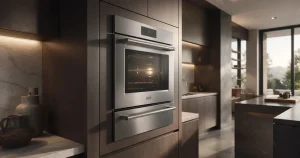
Source: KitchenAid Product Help - Wall Oven: Error Code or Message
If F06 is on your KitchenAid wall oven display, the manufacturer’s explanation is that there may be a problem with the electronic control or with the wiring tied to it.
At a glance
| Code | F06 |
|---|---|
| Appliance | Wall Ovens |
| What it means | Possible problem with the electronic control or its wiring. |
| First thing to try | Locate the breaker for the wall oven and turn it off. |
Short answer
Do the breaker reset. If F06 does not come back, you are done. If it does, call for service.
The reset in detail
- Locate the breaker for the wall oven and turn it off.
- Count to sixty, then turn it on again.
- Look at the oven for a minute. A code that stays away for that minute is the result KitchenAid is hoping for.
- Use the oven to verify it is operating.
Why the article says so little
KitchenAid’s F06 entry has no list of symptoms, no measurements and no cause beyond the control and wiring. A short page is the honest outcome. Adding details such as which board or which wire would mean inventing them.
Quick questions
Does F06 mean the same as F03 or F04? The wording is close but not identical. F03 and F04 name the electronic oven control, while F06 names the electronic control. KitchenAid keeps them as separate entries. The entry also does not say whether the oven can still be used while F06 is showing.
Should I keep resetting the breaker? The article describes one reset. If the code is still there after it, the next step it points to is service.
Control codes next to F06
- F03 / F04: the electronic oven control or its wiring
- F1E7 / F1E9: the appliance control board or its wiring
- F0E0: a control that cannot identify what went wrong
Wall oven service in San Francisco
For an F06 that returns after the breaker reset, call (415) 921-9987 and tell us how soon after power-up it showed again.