Source: KitchenAid Product Help - Electric Cooktop: Error Code or Indicator Light
When a KitchenAid cooktop shows dE (written “d E” in the manufacturer’s pages) while it is off, nothing is broken. Demo mode is on. KitchenAid says that in this state “the cooktop does not switch heat up and the functions do not come on.”
At a glance
| Code | dE |
|---|---|
| Appliance | Cooktops |
| What it means | Demo mode is on, so the cooktop does not switch heat up and its functions do not come on. |
What it looks like
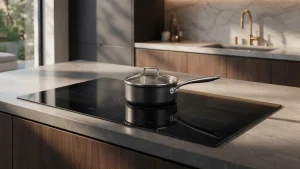
KitchenAid says the cooktop does not switch heat up and the functions do not come on while Demo Mode is on.
The instruction KitchenAid prints
The two help pages (electric and induction) give the same method, with slightly different words. In summary:
- Connect the cooktop to the power supply.
- Within the first minute, press the quick heating button marked “Booster” on the bottom left keypad and hold it for 5 seconds.
The pages carry a picture showing the key, which does not come through in the text. The induction page describes the same press as turning Demo Mode on and off, while the electric page words it as switching the acoustic signal. The two do not agree, so do not rely on the key press doing one particular thing, and use your use-and-care guide to confirm.
The one-minute window
KitchenAid says to press the key within the first minute after connecting the cooktop to the power supply. The text does not describe any other way to change the mode.
Related display messages
KitchenAid cooktop help in San Francisco
If dE persists after you have followed the booster-key instruction, call (415) 921-9987. Tell us the cooktop’s model and that it shows dE but will not heat.