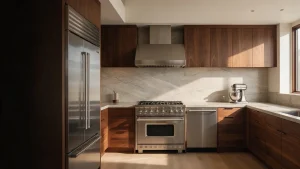
Source: KitchenAid Product Help - Wall Oven: Error Code or Message
Unlike FCE1 to FCE3, these two codes do not send you to your router. FCE4 and FCE5 both read, in KitchenAid’s help: there may be a problem with the Wi-Fi Antenna, or the associated wiring. The antenna is part of the appliance, so the problem named is on the range’s side of the connection.
At a glance
| Code | FCE4 / FCE5 |
|---|---|
| Appliance | Ranges |
| What it means | KitchenAid says FCE4 and FCE5 may each be a problem with the Wi-Fi antenna or its wiring. |
| First thing to try | Appliance down: breaker off for one minute. |
What to do
KitchenAid’s heading is “Reset power to the product”, and the steps are short:
- Appliance down: breaker off for one minute.
- Appliance up: breaker on.
- Monitor for one minute that the code does not display again.
- Verify appliance operation.
The same wording is in the wall oven help, and the entry ends by pointing to KitchenAid’s connected-appliance help line for questions about the connected features.
A router reset will not touch this
The router checks that KitchenAid lists for FCE1 to FCE3 are not part of the FCE4 and FCE5 entries. If the antenna or the wiring is the issue, resetting the router has no step in this procedure.
Why two codes
KitchenAid’s text is word-for-word the same for both codes, and it does not say what separates one from the other.
Where to go from here
A code that comes back after the breaker reset points at hardware that only a technician can test. We can look at the range itself.
Other Wi-Fi codes
| Code | KitchenAid names |
|---|---|
| FCE1 / FCE2 / FCE3 | Could not connect to the router |
| FCE6 / FCE9 | Wi-Fi power module or wiring |
| FCE7 | No link between Wi-Fi module and internet |
KitchenAid range repair in San Francisco
For FCE4 or FCE5 that persists, call (415) 921-9987. Say which of the two you see.