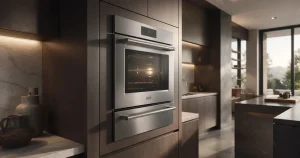
Source: KitchenAid Product Help - Wall Oven: Error Code or Message
What FCE4 and FCE5 point to
For both codes KitchenAid says there may be a problem with the Wi-Fi antenna, or the associated wiring. The antenna is the part that sends and receives the wireless signal for the oven’s connected features.
At a glance
| Code | FCE4 / FCE5 |
|---|---|
| Appliance | Wall Ovens |
| What it means | KitchenAid says there may be a problem with the Wi-Fi Antenna or its wiring. |
| First thing to try | Power the appliance down by turning off the circuit breaker for one minute. |
How this differs from FCE1 to FCE3
Those other codes talk about the router, signal strength and time-outs, so the advice there involves your home network. FCE4 and FCE5 do not mention the router at all. The suspect is inside the oven, so resetting your router is not part of these articles.
KitchenAid’s reset steps
- Power the appliance down by turning off the circuit breaker for one minute.
- Power it back up by turning the breaker on.
- Monitor it for one minute to ensure the code does not display again.
- Verify appliance operation.
After that
If the code still appears, the next step in the articles is service.
Two numbers, same text
FCE4 and FCE5 share their wording, and KitchenAid draws no distinction between them.
See also
- FCE6 and FCE9: another internal Wi-Fi part, the power module
- FCE1, FCE2 and FCE3: router connection problems
KitchenAid oven visits in San Francisco
If the Wi-Fi code stays, call (415) 921-9987 and give us the code and model number. Say the breaker reset has already been tried.