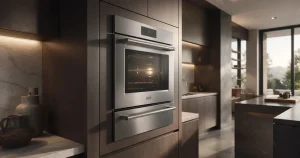
Source: KitchenAid Product Help - Wall Oven: Error Code or Message
With F6E5, the part under suspicion is the one you touch every time you use the oven: the control panel assembly. KitchenAid lists it together with the wiring that serves it.
At a glance
| Code | F6E5 |
|---|---|
| Appliance | Wall Ovens |
| What it means | Possible problem with the Control Panel Assembly or its wiring. |
| First thing to try | Locate the breaker that supplies the wall oven and turn it off. |
Panel assembly in everyday terms
The control panel is the front-facing set of keys, touch areas or knobs, along with the electronics behind them that read your input. The KitchenAid page names the assembly as a whole, so it does not say which piece inside is at fault. It also does not say whether the oven still responds to touch while the code is showing.
Do the reset
- Locate the breaker that supplies the wall oven and turn it off.
- Count a full minute.
- Turn the breaker on.
- For the next minute, watch to see if F6E5 shows up again.
- Try the oven’s normal functions.
Please leave the panel alone
It is tempting to press all the keys or to try to pry off the trim. KitchenAid recommends neither. An assembly like this includes wiring that connects to the oven’s other electronics, which is why the manufacturer groups the panel and the wiring in one sentence.
A quick comparison with similar codes
| Code | What KitchenAid names |
|---|---|
| F6E5 | Control panel assembly |
| F6EA | User interface control sensing over-temperature |
| F1E0 | User interface (touchpad), control or wiring |
Is F6E5 the same as a stuck key?
KitchenAid’s F6E5 article does not mention keys. A stuck-button message exists for other KitchenAid cooking appliances, but it is a different code.
Next step if it returns
Book service. A technician can test the panel and its wiring rather than guessing.
Control panel service in San Francisco
Call (415) 921-9987 and describe what the display and keys are doing.