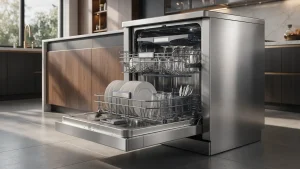
Source: KitchenAid Product Help - Dishwasher: Error Code or Flashing Lights
Your dishwasher’s buttons are read constantly, and F2E1 is what KitchenAid lists when that reading goes wrong. The help page gives the potential cause as a “Stuck Key or Console Error.” (The page itself has a typo, “oe,” where “or” is meant.)
At a glance
| Code | F2E1 |
|---|---|
| Appliance | Dishwashers |
| What it means | KitchenAid lists a stuck key or console error as the potential cause of F2E1. |
| First thing to try | Cut power to the dishwasher for 30 seconds. Unplug it if it has a plug. |
A stuck key, or the console behind it
The console is the control panel with its keys. A key that the control believes is permanently pressed is the plainest example of a stuck key. KitchenAid does not say which of the two it means in a given case, and it gives no cleaning or inspection steps.
The published steps
- Cut power to the dishwasher for 30 seconds. Unplug it if it has a plug.
- If it is hard wired, use the home electrical panel instead and switch the breaker off.
- Restore the power.
- If F2E1 shows up again, schedule service.
Nearby codes
The same 30-second reset appears on KitchenAid’s pages for several other dishwasher codes; only the named cause changes.
Quick answers
Is F2E1 a water problem?
Nothing in the source links it to water. It names a stuck key or a console error.
Do I need to find the stuck key?
KitchenAid does not ask you to. The page offers only the power cycle and, if the code returns, service.
Does the same reset work for F1E1?
KitchenAid lists the identical 30-second power cycle for it too, but the named cause differs.
KitchenAid dishwasher repair in San Francisco
For an F2E1 that does not clear, phone (415) 921-9987. It helps to say whether any button feels stuck or unresponsive.